
Minifig Scan
PacoLabsShopping
4.8659.00 Reviews
- Version
- 5.0.3
- Installs
- 1.00M
- Age Rating
- Everyone
Screenshots
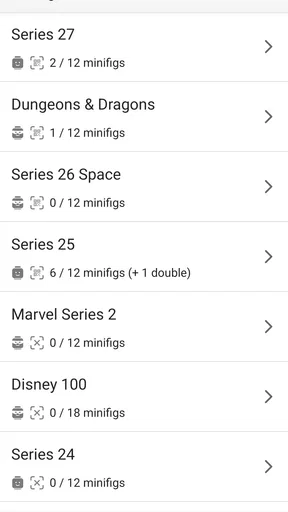

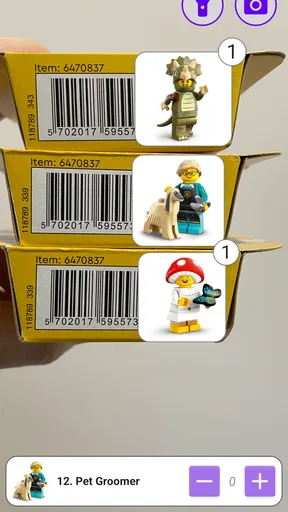
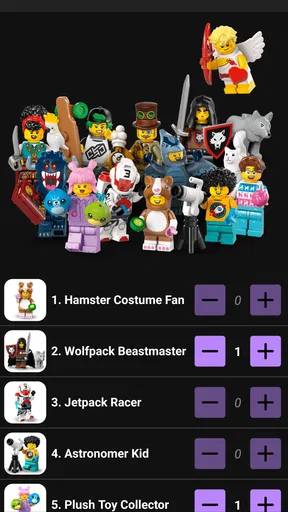
Our Review of Minifig Scan
 Analysis by Appyee
Have you ever wondered what it would be like to dive into the colorful world of LEGO minifigures? Well, you're in for a treat with Minifig Scan. This app is like having a personal LEGO detective right in your pocket. Let's dig in and see what it's all about!
Getting to Know Minifig Scan
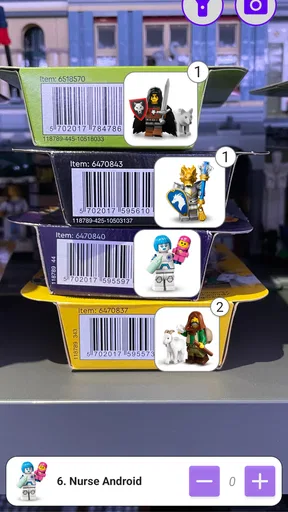
When I first stumbled upon Minifig Scan, I was pretty skeptical. I mean, how exciting can scanning minifigures be? But boy, was I wrong! The app is designed to let you scan your LEGO minifigures and identify them instantly. It’s as if the app has a magical ability to recognize these tiny, plastic people.
How It Works
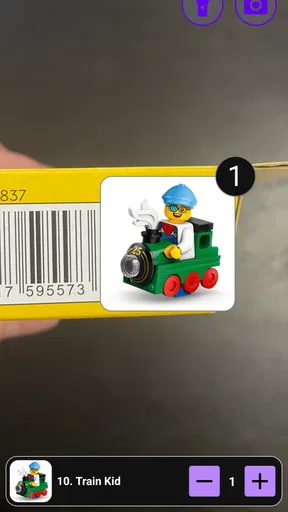
The setup is super straightforward. You just point your phone’s camera at a minifigure, and the app does its magic. It quickly identifies the minifigure and provides you with all sorts of interesting details. It's like having a LEGO encyclopedia at your fingertips.
What really stands out is how precise and quick the scanning process is. I tried it with a few of my old minifigures, and it nailed each one without a hitch. It's perfect for those moments when you need to quickly sort through your collection and figure out what you've got.
Features That Shine
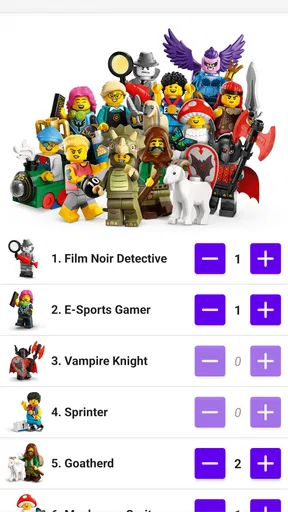
One of my favorite features is the ability to save your scanned minifigures into a personal collection. You can keep track of all your minifigures, which is super handy if you're a serious collector. It’s like having a digital showcase of your collection that you can carry around and brag about to your friends.
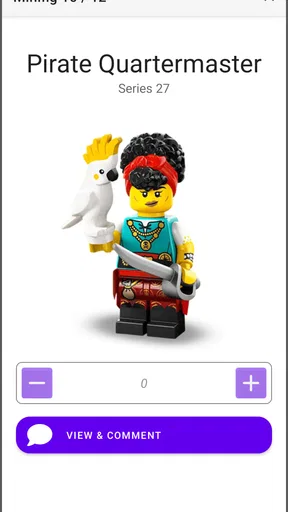
Plus, the app gives you detailed information about each minifigure, including its release year, series, and any unique attributes. It’s a treasure trove of information for LEGO enthusiasts!
Design and User Experience
The app is sleek and easy to navigate. The developers did a stellar job keeping the interface intuitive. The vibrant colors and playful design elements make the experience enjoyable, and the app feels like it was made with LEGO fans in mind.
Moreover, the scanning process itself is seamless. The app guides you with on-screen prompts, making it easy even for tech newbies to dive right in without any frustration.
Who Is It For?
If you're a LEGO collector, this app is a must-have. It’s also great for anyone who enjoys playing with LEGO and wants to learn more about the minifigures they have. Even kids can have a blast with it, turning playtime into an educational experience.
While the app is primarily targeted at collectors and enthusiasts, it’s also a fun tool for parents looking to engage their kids in a more interactive and educational playtime with LEGO.
Why You Should Try It
If you're still on the fence about trying Minifig Scan, think of it as a way to enhance your LEGO experience. It adds a whole new layer of fun and discovery to your hobby. Plus, it’s a nifty tool for organizing and displaying your collection.
In a nutshell, Minifig Scan is a delightful app that blends technology with a beloved pastime. Whether you're a die-hard LEGO fan or just someone who enjoys a bit of toy nostalgia, this app is worth every second of your time.
So, grab your phone, download the app, and start exploring the world of LEGO minifigures like never before!
Verdict
Strengths of Minifig Scan
- Easy to use interface for all ages.
- Comprehensive database of minifigs.
- Instant scanning with accurate results.
- Offline mode available for convenience.
- Regular updates with new minifigs.
Limitations of Minifig Scan
- Requires camera permissions to function.
- Limited features in free version.
- Occasional minor bugs in scanning.
- Ads can be intrusive at times.
- Needs internet for database updates.
Similar Picks in This Category
View All
SHEIN-Shopping Online
Roadget Business PTE. LTD.4.8

Amazon Shopping
Amazon Mobile LLC4.4


Mercado Libre: Compras online
Mercado Libre4.8

Wish: Shop and Save
Wish US Holdings LLC4.7

Alibaba.com - B2B marketplace
Alibaba Mobile4.4
Frequently Asked Questions
What is Minifig Scan and how does it work?
Minifig Scan is an innovative app designed to enhance your LEGO experience. It uses your device's camera to scan LEGO minifigures and provides detailed information about them. The app identifies the minifigure and offers data such as its set number, release date, and rarity, making it a perfect tool for collectors and enthusiasts.
Is Minifig Scan compatible with all devices?
Minifig Scan is available for both Android and iOS platforms. However, it requires a device with a camera and sufficient processing power to handle image recognition tasks. Ensure your device meets the minimum system requirements by checking the app's listing on Google Play or the App Store before downloading.
Are there any in-app purchases or subscriptions?
Minifig Scan offers a free version with basic features, but to access advanced tools and an ad-free experience, users can opt for in-app purchases or a subscription model. The premium version may include features like a larger database, exclusive content, and enhanced scanning capabilities.
Is Minifig Scan suitable for children?
Minifig Scan is family-friendly and suitable for children who are LEGO enthusiasts. It provides a user-friendly interface and educational content, encouraging learning through play. Parents should review the app's privacy settings to ensure a safe and controlled experience for younger users.
What should I do if Minifig Scan is not recognizing my minifigure?
If Minifig Scan fails to recognize a minifigure, ensure that you have good lighting and a clear camera focus. Try repositioning the figure and scanning again. If issues persist, check for app updates or consult the app's support section for troubleshooting tips and customer service assistance.
